Disney BYJU's Early Learn
Disney BYJU's Early Learn
Project
Disney BYJU's Early Learn
Duration
2 years
Role
Senior Product Designer
Registered User
150 millions
Revenue
$250 millions
Company size
10,000+
About Project
About Project
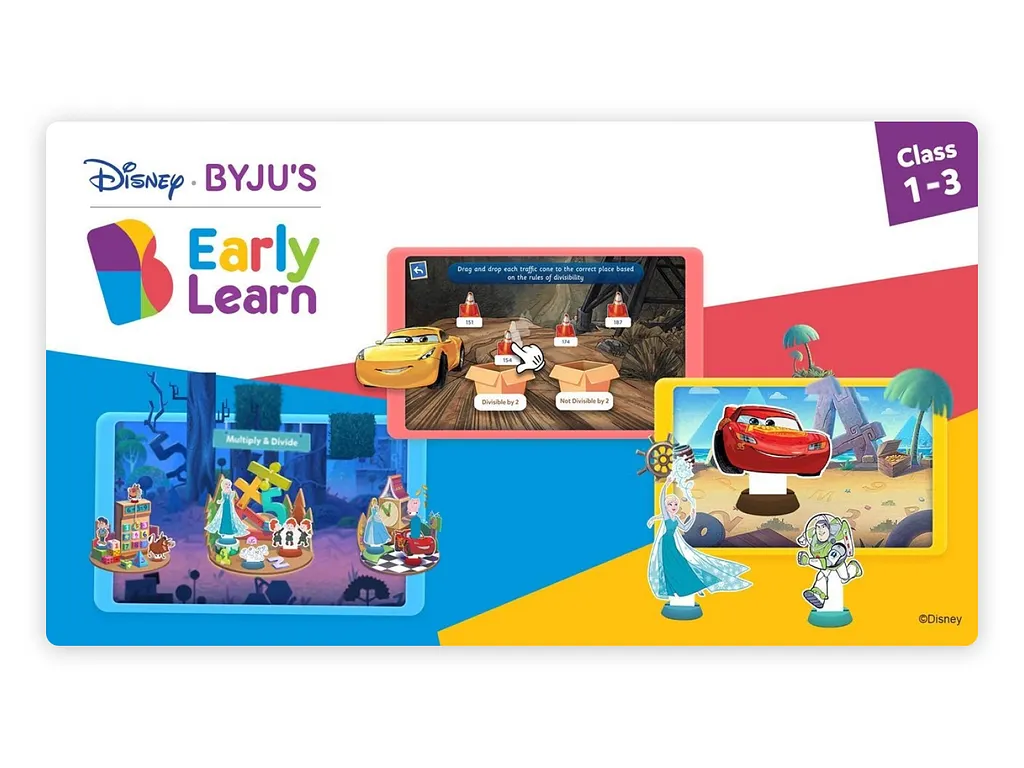
Disney BYJU’S Early Learn is a learning app designed for children in LKG to Grade 3, combining BYJU’S educational expertise with Disney’s engaging characters. The app focuses on foundational skills in math, language, and science through interactive videos, games, and storytelling. It offers a personalized learning journey that adapts to the child’s pace and features beloved Disney and Pixar characters to keep learning fun and immersive. The UX emphasizes vibrant visuals, intuitive navigation, and parent engagement features to support holistic early education.
Objective
To enhance early childhood education by creating an engaging, interactive, and age-appropriate digital learning experience that combines BYJU’S pedagogical strength with Disney’s beloved characters. The aim is to build foundational literacy, numeracy, and critical thinking skills in children from LKG to Grade 3 through storytelling, games, and personalized learning pathways.
Scope of Work
User Research: Understanding cognitive, emotional, and behavioral patterns of early learners and expectations of parents.
Content Structuring: Designing age-specific learning modules aligned with academic standards.
Visual & Interaction Design: Creating a child-friendly interface with colorful visuals, large touch targets, and intuitive navigation patterns.
Character Integration: Seamlessly incorporating Disney and Pixar characters to support learning without distraction.
Gamification: Designing game-based learning to reinforce concepts and motivate engagement.
Parental Controls & Dashboards: Enabling parent involvement with progress tracking and content access controls.
Prototyping & Usability Testing: Iterative design testing to ensure engagement, comprehension, and ease of use for children.
Disney BYJU’S Early Learn is a learning app designed for children in LKG to Grade 3, combining BYJU’S educational expertise with Disney’s engaging characters. The app focuses on foundational skills in math, language, and science through interactive videos, games, and storytelling. It offers a personalized learning journey that adapts to the child’s pace and features beloved Disney and Pixar characters to keep learning fun and immersive. The UX emphasizes vibrant visuals, intuitive navigation, and parent engagement features to support holistic early education.
Objective
To enhance early childhood education by creating an engaging, interactive, and age-appropriate digital learning experience that combines BYJU’S pedagogical strength with Disney’s beloved characters. The aim is to build foundational literacy, numeracy, and critical thinking skills in children from LKG to Grade 3 through storytelling, games, and personalized learning pathways.
Scope of Work
User Research: Understanding cognitive, emotional, and behavioral patterns of early learners and expectations of parents.
Content Structuring: Designing age-specific learning modules aligned with academic standards.
Visual & Interaction Design: Creating a child-friendly interface with colorful visuals, large touch targets, and intuitive navigation patterns.
Character Integration: Seamlessly incorporating Disney and Pixar characters to support learning without distraction.
Gamification: Designing game-based learning to reinforce concepts and motivate engagement.
Parental Controls & Dashboards: Enabling parent involvement with progress tracking and content access controls.
Prototyping & Usability Testing: Iterative design testing to ensure engagement, comprehension, and ease of use for children.
Research to empathize with users.
Research to empathize with users.
Research Objective
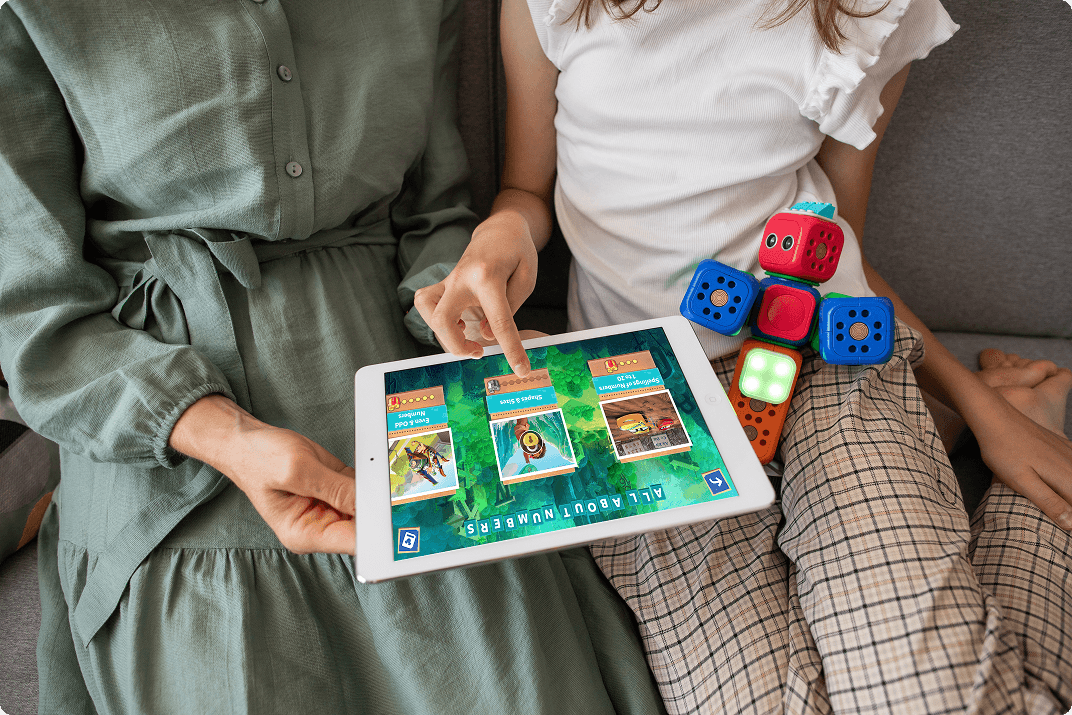
The key challenge was to define platform and content guidelines for children and evaluate how they engage with digital learning tools. To address this, user-centered research was conducted, focusing on understanding children’s cognitive load and interaction patterns across age groups.
Specific Objectives:
Identify types of experiences that captivate and immerse young learners.
Analyze attention span variations across age groups and the influencing factors.
Understand the learning journey, motivations, and triggers for engagement.
Determine learning patterns that can be effectively translated into the product experience.
Evaluate which interaction types are more intuitive and which pose challenges for young users.
Research Objective
The key challenge was to define platform and content guidelines for children and evaluate how they engage with digital learning tools. To address this, user-centered research was conducted, focusing on understanding children’s cognitive load and interaction patterns across age groups.
Specific Objectives:
Identify types of experiences that captivate and immerse young learners.
Analyze attention span variations across age groups and the influencing factors.
Understand the learning journey, motivations, and triggers for engagement.
Determine learning patterns that can be effectively translated into the product experience.
Evaluate which interaction types are more intuitive and which pose challenges for young users.
Identified User Groups
Identified User Groups
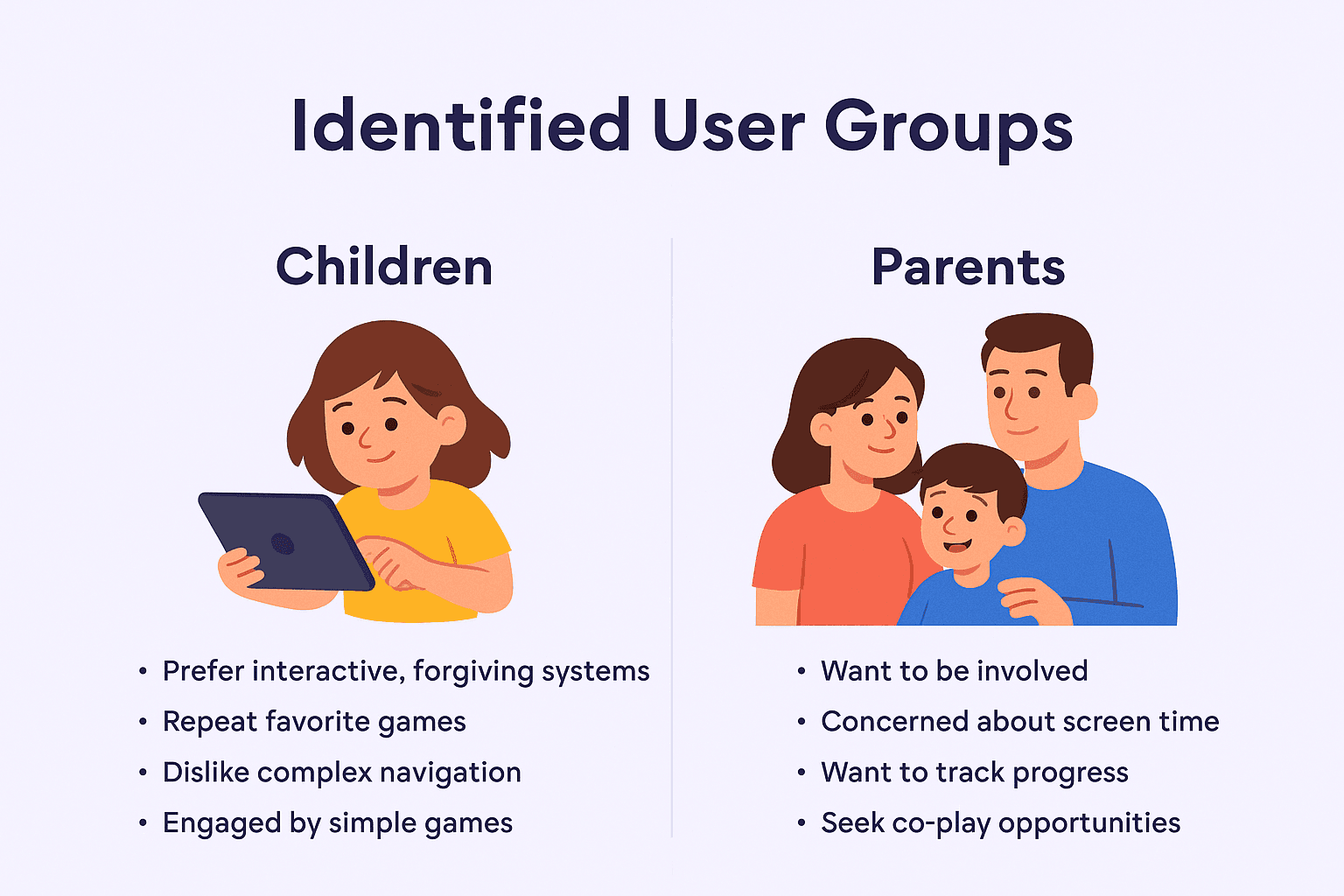
As a B2C product, Disney BYJU’S Early Learn is designed for both the child and the parent—the end-user and the decision-maker. Understanding their distinct behaviors, expectations, and needs shaped the foundation of the product strategy.
1. Children (Primary Users)
Children prefer interactive, forgiving systems where they can freely explore and learn without penalties.
They enjoy repeating their favorite games and dislike complex navigation or rigid content flows.
Simple games with strong visual cues and minimal friction keep them engaged longer.
High challenges or failure loops quickly shift their attention to passive content.
2. Parents (Secondary Users & Decision-Makers)
Parents want to be involved in their child’s learning process.
They are concerned about screen time and want meaningful, educational usage.
They value transparency and want to track their child’s progress, achievements, and skill development.
Many parents seek co-play or active learning opportunities to bond with their child.
As a B2C product, Disney BYJU’S Early Learn is designed for both the child and the parent—the end-user and the decision-maker. Understanding their distinct behaviors, expectations, and needs shaped the foundation of the product strategy.
1. Children (Primary Users)
Children prefer interactive, forgiving systems where they can freely explore and learn without penalties.
They enjoy repeating their favorite games and dislike complex navigation or rigid content flows.
Simple games with strong visual cues and minimal friction keep them engaged longer.
High challenges or failure loops quickly shift their attention to passive content.
2. Parents (Secondary Users & Decision-Makers)
Parents want to be involved in their child’s learning process.
They are concerned about screen time and want meaningful, educational usage.
They value transparency and want to track their child’s progress, achievements, and skill development.
Many parents seek co-play or active learning opportunities to bond with their child.
Designing for Parents
Designing for Parents
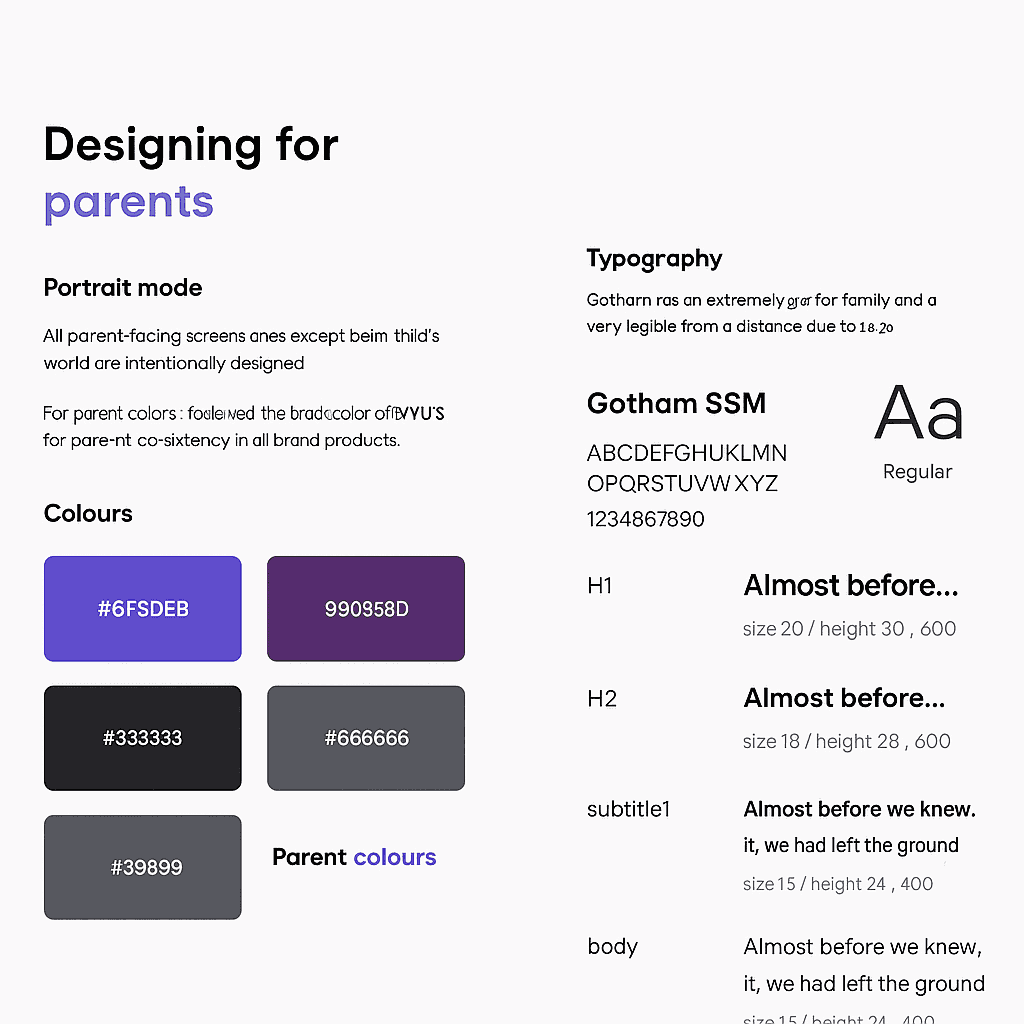
To ensure accessibility and ease of use for parents, extensive user testing was conducted to validate visual language, layout preferences, and readability.
Layout Preference
Portrait Mode was prioritized for all parent-facing screens (except within the child’s learning world) as testing revealed landscape mode made it difficult for parents to view and interact with their child’s details.
Color System
Parent UI uses BYJU’S brand-consistent colors:
Primary: #6F5DEB, #90358D
Secondary/Grayscale: #333333, #666666, #999999
Typography
Font: Gotham SSM, chosen for its legibility from a distance due to its wide width and geometric structure.
Text Hierarchy:
H1: 20px / 30px / 600 weight
H2: 18px / 28px / 600
Subtitles & Body: Size ranges from 13px to 16px with consistent 600 or 400 weights for emphasis and clarity.
This approach supports clear, intuitive interaction for parents monitoring their child’s learning journey.
To ensure accessibility and ease of use for parents, extensive user testing was conducted to validate visual language, layout preferences, and readability.
Layout Preference
Portrait Mode was prioritized for all parent-facing screens (except within the child’s learning world) as testing revealed landscape mode made it difficult for parents to view and interact with their child’s details.
Color System
Parent UI uses BYJU’S brand-consistent colors:
Primary: #6F5DEB, #90358D
Secondary/Grayscale: #333333, #666666, #999999
Typography
Font: Gotham SSM, chosen for its legibility from a distance due to its wide width and geometric structure.
Text Hierarchy:
H1: 20px / 30px / 600 weight
H2: 18px / 28px / 600
Subtitles & Body: Size ranges from 13px to 16px with consistent 600 or 400 weights for emphasis and clarity.
This approach supports clear, intuitive interaction for parents monitoring their child’s learning journey.
Designing for child
Designing for child
Visual Elements
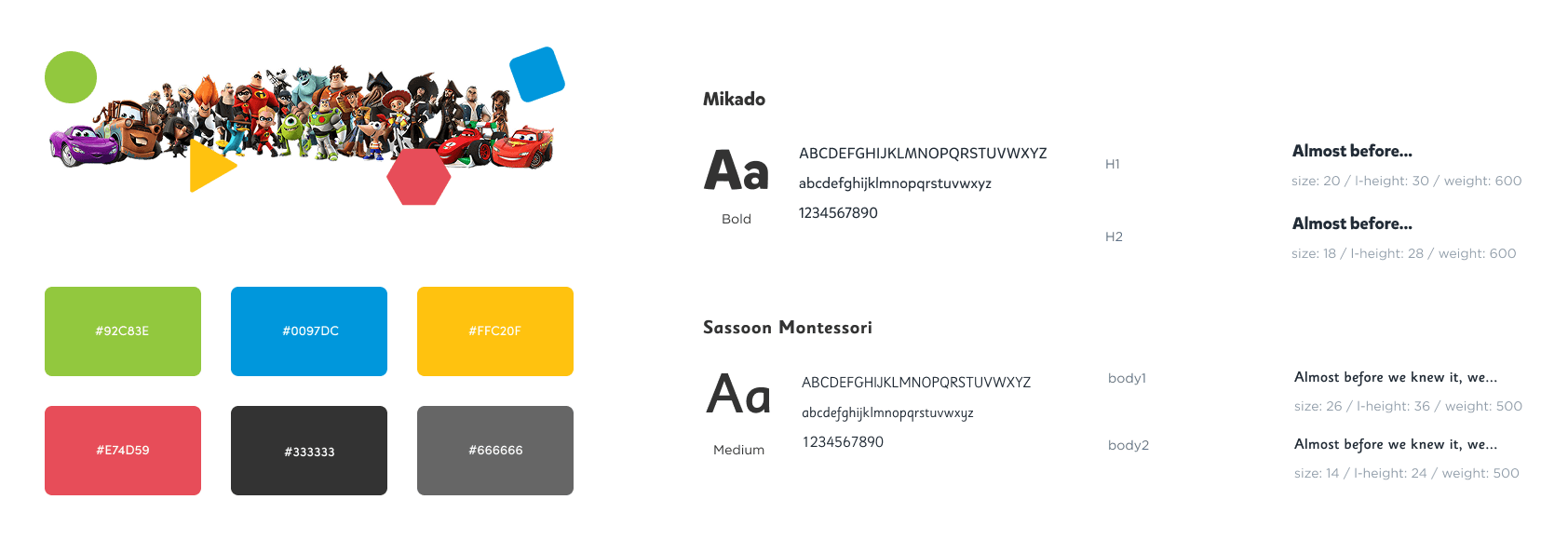
Children recognize and engage with shapes and colors early on, so the interface uses familiar Disney characters and bold, intuitive visuals to aid comprehension and navigation.
Color System
Children prefer bright, bold, and high-contrast primary colors that encourage exploration.
Colors used include vibrant shades of green #92C83E, blue #0069DC, yellow #FFC230F, and red #E7415D, along with grayscale tones for background contrast.
Typography
Age Group: Focused on children aged 3–8, who learn to read by recognizing individual letters before full words.
Heading Typeface: Mikado – provides a hand-drawn, storybook feel with playful imperfections, aiding letter recognition.
Body Typeface: Sassoon Montessori – features a distinct stroke for each letter to enhance legibility and dyslexia-friendliness.
Font sizes used:
H1: 20px / 30px / 600 weight
Body text: 16px–14px / weights 500–600 for improved clarity
This design system ensures content is both accessible and delightful for early learners.
Visual Elements
Children recognize and engage with shapes and colors early on, so the interface uses familiar Disney characters and bold, intuitive visuals to aid comprehension and navigation.
Color System
Children prefer bright, bold, and high-contrast primary colors that encourage exploration.
Colors used include vibrant shades of green #92C83E, blue #0069DC, yellow #FFC230F, and red #E7415D, along with grayscale tones for background contrast.
Typography
Age Group: Focused on children aged 3–8, who learn to read by recognizing individual letters before full words.
Heading Typeface: Mikado – provides a hand-drawn, storybook feel with playful imperfections, aiding letter recognition.
Body Typeface: Sassoon Montessori – features a distinct stroke for each letter to enhance legibility and dyslexia-friendliness.
Font sizes used:
H1: 20px / 30px / 600 weight
Body text: 16px–14px / weights 500–600 for improved clarity
This design system ensures content is both accessible and delightful for early learners.
Sticker Book – Feature Summary
Sticker Book – Feature Summary
The Sticker Book is an interactive storytelling tool that allows children to drag, drop, and arrange stickers of popular Disney characters within a themed environment. Kids can creatively construct stories by placing characters and drawing elements on the canvas, promoting imagination and narrative thinking.
Purpose:
Encourage creativity and self-expression
Foster storytelling skills through play
Increase user engagement via interactive rewards
Role in Design:
Curated character assets that align with the app’s learning path
Ensured educational value by mapping assets to skill milestones
Designed user-friendly UI layouts for all sticker book interactions
This feature serves as both a creative outlet and a learning incentive, blending fun with progress-based engagement.
The Sticker Book is an interactive storytelling tool that allows children to drag, drop, and arrange stickers of popular Disney characters within a themed environment. Kids can creatively construct stories by placing characters and drawing elements on the canvas, promoting imagination and narrative thinking.
Purpose:
Encourage creativity and self-expression
Foster storytelling skills through play
Increase user engagement via interactive rewards
Role in Design:
Curated character assets that align with the app’s learning path
Ensured educational value by mapping assets to skill milestones
Designed user-friendly UI layouts for all sticker book interactions
This feature serves as both a creative outlet and a learning incentive, blending fun with progress-based engagement.

Interactive Learning Game – Feature Summary
Interactive Learning Game – Feature Summary
This feature forms the core learning experience of the Disney BYJU’S Early Learn app. The interactive templates include engaging mechanics such as drag-and-drop and tap-to-select, designed to reinforce educational concepts like phonics, vocabulary, and spelling.
Purpose:
Boost literacy and cognitive skills through gamified learning
Keep users engaged with feedback-driven tasks
Provide reusable, scalable templates for varied learning content
Role in Design Process:
Defined all required features for game templates in collaboration with developers
Guided vendors on using these templates to build content
Reviewed vendor submissions and tested them on actual devices (via CMS)
Ran focus group testing to evaluate user experience
Collected user feedback and collaborated with developers for iterative improvements
This feature forms the core learning experience of the Disney BYJU’S Early Learn app. The interactive templates include engaging mechanics such as drag-and-drop and tap-to-select, designed to reinforce educational concepts like phonics, vocabulary, and spelling.
Purpose:
Boost literacy and cognitive skills through gamified learning
Keep users engaged with feedback-driven tasks
Provide reusable, scalable templates for varied learning content
Role in Design Process:
Defined all required features for game templates in collaboration with developers
Guided vendors on using these templates to build content
Reviewed vendor submissions and tested them on actual devices (via CMS)
Ran focus group testing to evaluate user experience
Collected user feedback and collaborated with developers for iterative improvements
Learning Map – Feature Summary
Learning Map – Feature Summary
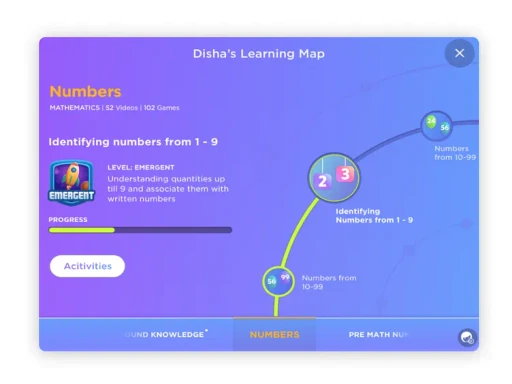
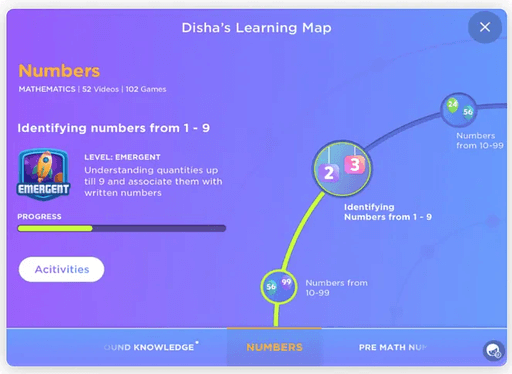
The Learning Map offers a personalized visual representation of a child’s academic journey, helping parents track progress across subjects and learning blocks.
Purpose:
Visually communicate learning progression and achievements
Allow parents to explore current and upcoming learning milestones
Reinforce motivation through gamified badge rewards
Key Features:
Interactive dials to explore progress in subjects like math and reading
Animated transitions for focused navigation through learning blocks
Badge system highlighting unlocked achievements
Parent-friendly navigation between subjects and topics
Role in Design:
Translated curriculum learning paths into clear, animated UI screens
Collaborated with developers to implement animations and interactions
Created After Effects videos to guide developers and demonstrate user navigation flows
The Learning Map balances educational transparency with child-friendly visuals, encouraging deeper parental involvement.
The Learning Map offers a personalized visual representation of a child’s academic journey, helping parents track progress across subjects and learning blocks.
Purpose:
Visually communicate learning progression and achievements
Allow parents to explore current and upcoming learning milestones
Reinforce motivation through gamified badge rewards
Key Features:
Interactive dials to explore progress in subjects like math and reading
Animated transitions for focused navigation through learning blocks
Badge system highlighting unlocked achievements
Parent-friendly navigation between subjects and topics
Role in Design:
Translated curriculum learning paths into clear, animated UI screens
Collaborated with developers to implement animations and interactions
Created After Effects videos to guide developers and demonstrate user navigation flows
The Learning Map balances educational transparency with child-friendly visuals, encouraging deeper parental involvement.
Home Screen – Feature Summary
Home Screen – Feature Summary
The Home Screen is a dynamic and personalized dashboard designed to reflect each child’s individual learning profile and curriculum journey. It combines educational structure with playful design to encourage intuitive exploration.
Key Features:
Profile Switcher:
Allows children to switch between multiple profiles easily.
Parent Sneak:
A quick preview for parents to check the child’s learning progress in a simplified visual format.
Strand Building:
Tasks are grouped into themed buildings based on learning strands (e.g., Math, Literacy). Tapping a building launches relevant learning tasks.
Other Highlights:
Includes access to the Learning Map, Game Centre, Task Thumbnails, Parent Zone, and Media Icons for quick navigation and engagement.
Role in Design:
Responsible for defining the screen layout and interface flow.
Prepared and submitted final specs for development approval.
This screen acts as the central navigation hub for children while also offering parents visibility into their child’s journey.
The Home Screen is a dynamic and personalized dashboard designed to reflect each child’s individual learning profile and curriculum journey. It combines educational structure with playful design to encourage intuitive exploration.
Key Features:
Profile Switcher:
Allows children to switch between multiple profiles easily.
Parent Sneak:
A quick preview for parents to check the child’s learning progress in a simplified visual format.
Strand Building:
Tasks are grouped into themed buildings based on learning strands (e.g., Math, Literacy). Tapping a building launches relevant learning tasks.
Other Highlights:
Includes access to the Learning Map, Game Centre, Task Thumbnails, Parent Zone, and Media Icons for quick navigation and engagement.
Role in Design:
Responsible for defining the screen layout and interface flow.
Prepared and submitted final specs for development approval.
This screen acts as the central navigation hub for children while also offering parents visibility into their child’s journey.

Conclusion
Conclusion
The Disney BYJU’S Early Learn app is a thoughtfully designed learning platform that blends educational content with the magic of Disney to engage young learners meaningfully. By deeply understanding both user groups—children and parents—we created an experience that is fun, intuitive, and pedagogically effective.
From interactive games and personalized learning maps to creative tools like the sticker book, every feature was designed with a clear purpose: to foster curiosity, creativity, and consistent learning. Extensive research, user testing, and collaboration across teams helped ensure the app was accessible, enjoyable, and impactful for early learners.
This project not only strengthened my ability to design for young audiences but also honed my skills in cross-functional collaboration, UX research, and visual storytelling—contributing to a product that makes screen time both joyful and educational.
The Disney BYJU’S Early Learn app is a thoughtfully designed learning platform that blends educational content with the magic of Disney to engage young learners meaningfully. By deeply understanding both user groups—children and parents—we created an experience that is fun, intuitive, and pedagogically effective
From interactive games and personalized learning maps to creative tools like the sticker book, every feature was designed with a clear purpose: to foster curiosity, creativity, and consistent learning. Extensive research, user testing, and collaboration across teams helped ensure the app was accessible, enjoyable, and impactful for early learners.
This project not only strengthened my ability to design for young audiences but also honed my skills in cross-functional collaboration, UX research, and visual storytelling—contributing to a product that makes screen time both joyful and educational.